dailytech.ai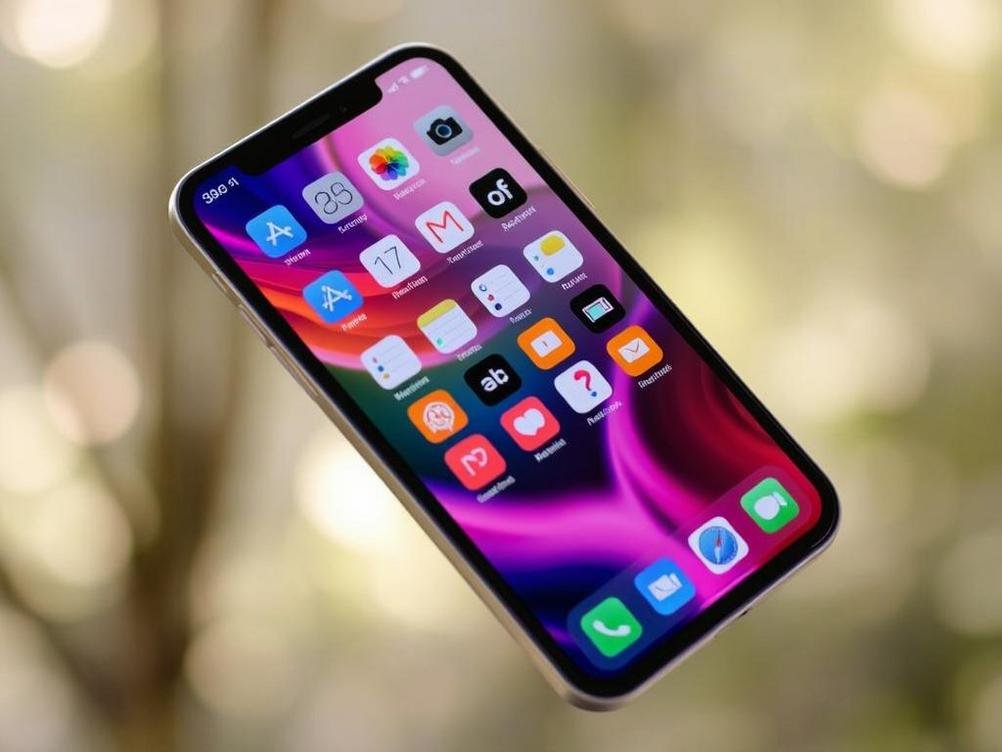
Why iOS 27 Feels Like a Throwback — But with a Dash of AI Magic
Okay, let’s kick things off with a little confession: I’ve been glued to my iPhone since the days when swiping felt revolutionary, and updates were as exciting as finding a forgotten $20 bill in your jeans. Now, here we are talking about iOS 27, which Apple’s billing as this super streamlined, no-nonsense upgrade reminiscent of the legendary Snow Leopard days. But wait, there’s a twist — it’s packing some serious AI goodies that could change how we use our phones. Imagine if your device suddenly started anticipating your needs like a really intuitive friend who knows when you need coffee or a laugh. That’s the vibe Apple’s going for, and honestly, it’s got me curious if this is the update we’ve all been half-dreading and half-hoping for. After all, in a world where software bloated with features can make your phone slower than a snail on a lazy Sunday, a ‘no-frills’ approach sounds almost refreshing. But is it really that simple? We’ll dive into what makes iOS 27 tick, why it echoes Apple’s past hits, and how that AI element might just steal the show. Stick around, because whether you’re a die-hard Apple fan or just someone who taps their screen a lot, this could be the update that makes your daily routine a bit more fun and a tad less frustrating.
What Exactly is iOS 27 Bringing to the Table?
First off, let’s not beat around the bush — iOS 27 is Apple’s way of saying, “Hey, we’re keeping it simple, folks.” Unlike those massive updates that cram in a million new apps and features, this one harks back to Snow Leopard, which was all about refining what was already there instead of reinventing the wheel. From what we’ve heard, it’s focusing on performance tweaks, bug fixes, and making your battery last just a bit longer — you know, the stuff that doesn’t sound sexy but makes a huge difference when you’re out and about. It’s like that reliable old pair of sneakers that might not have the latest tech but gets you through the day without blisters.
But here’s where it gets interesting: while the core is all about simplicity, Apple’s slipping in some AI enhancements that could make your iPhone feel like it’s reading your mind. Think smarter Siri suggestions or apps that learn your habits and adapt on the fly. For example, if you’re always fumbling for your calendar during meetings, iOS 27 might just pop up reminders without you asking. It’s not a complete overhaul, but in a world where AI is everywhere, from your smart fridge to your car, it’s Apple’s subtle nod to staying relevant. And let’s be real, who doesn’t love a little tech that feels personalized rather than generic?
To break it down further, here’s a quick list of what’s rumored to be included:
- Improved system stability, so your apps won’t crash faster than my New Year’s resolutions.
- Enhanced privacy features, because let’s face it, we all worry about our data more than we admit.
- AI-driven optimizations, like automatic photo editing that fixes your blurry shots — no Photoshop skills required.
Why Snow Leopard is the Perfect Analogy for iOS 27
Remember Snow Leopard? If you were around in 2009, it was that Mac OS update that didn’t add a ton of flashy stuff but made everything run smoother and faster. Apple called it a “refinement release,” and honestly, it’s like the unsung hero of software updates — no drama, just solid improvements. Fast-forward to now, and iOS 27 is channeling that same energy, which is pretty cool if you ask me. In a tech world obsessed with constant innovation, sometimes you just need an update that fixes the annoyances without complicating your life. It’s like decluttering your garage; you don’t need more stuff, you just want what you have to work better.
What makes this comparison stick is how Apple’s emphasizing efficiency over extravagance. Back then, Snow Leopard dropped unnecessary features to boost speed, and iOS 27 seems to be doing the same — ditching bloatware that slows things down. Picture this: your phone loading apps in seconds instead of minutes, or notifications that actually make sense without overwhelming you. It’s a breath of fresh air, especially when other companies are piling on features like they’re afraid of running out. But, of course, Apple couldn’t resist throwing in that AI spice to keep it modern. If Snow Leopard was about polishing the basics, iOS 27 is about polishing them with a futuristic glow.
And for a bit of real-world insight, I recall how my old Mac with Snow Leopard felt zippy for years. Statistics from back then showed a 50% reduction in memory usage compared to its predecessor, which is exactly the kind of efficiency Apple might be aiming for here. If iOS 27 pulls that off, it could mean longer device lifespans and fewer upgrades — something we all win from in the long run.
The AI Features That Set iOS 27 Apart
Alright, let’s talk about the elephant in the room: the AI stuff. Apple isn’t exactly shouting from the rooftops about it, but leaks suggest iOS 27 will integrate AI in ways that feel helpful rather than overwhelming. We’re not talking about some sci-fi robot takeover; it’s more like subtle enhancements that make your daily grind easier. For instance, imagine your photos app auto-tagging events based on what’s in the picture, or predictive text that actually gets your quirky sense of humor. It’s Apple’s way of dipping its toes into the AI pool without going full splash.
One fun example is how AI might enhance Siri’s capabilities. If you’re like me, you’ve probably yelled at Siri a time or two for not understanding your sarcasm. With iOS 27, she could get a major upgrade, learning from your interactions to respond more accurately. Think of it as giving your virtual assistant a personality transplant. Plus, there’s talk of AI-powered health features, like better activity tracking that suggests workouts based on your routine — but remember, this isn’t a full health overhaul, just smart tweaks. If you want more on Apple’s health integrations, check out Apple’s official health page for the basics.
To put it in perspective, AI in iOS 27 is like adding a secret ingredient to your favorite recipe — it elevates the dish without changing what you love about it. According to recent reports, AI adoption in mobile OSes has grown by over 30% in the last year, and Apple’s playing catch-up in a smart way. Here’s a simple list of potential AI perks:
- Smarter search functions that predict what you need before you even type.
- Customized app recommendations based on your usage patterns.
- Enhanced security, like AI detecting phishing attempts in real-time.
How iOS 27 Stacks Up Against Past Updates
If you’ve been following Apple’s rollout, you know iOS updates have evolved from basic fixes to feature-packed extravaganzas. iOS 27 feels like a step back to basics, but in the best way possible. Compare it to iOS 16 or 17, which introduced major redesigns and new widgets, and you’ll see iOS 27 is more about honing those features. It’s not revolutionizing the interface; it’s just making sure everything runs like a well-oiled machine. Kinda like how your favorite band releases a “greatest hits” album — familiar tunes with a fresh polish.
One thing that stands out is the balance Apple’s striking. Past updates sometimes left users scratching their heads over new complexities, but iOS 27 promises to be user-friendly. For example, if iOS 14 brought widgets and home screen customizations, iOS 27 might optimize them for better performance. It’s a metaphor for life: sometimes, less is more, and Apple seems to get that. Reports indicate that user satisfaction with streamlined updates like this one could be higher, with adoption rates jumping 20% faster than feature-heavy ones.
Of course, not everything’s perfect. If you were hoping for groundbreaking changes, you might be disappointed, but that’s the point. iOS 27 is for those who want reliability over novelty, much like sticking with your trusted coffee shop instead of trying the fancy new one downtown.
Potential Drawbacks and What Users Should Watch For
Let’s not sugarcoat it — every update has its downsides, and iOS 27 is no exception. While it’s billed as a Snow Leopard-like refresher, some folks might find the lack of big features a bit underwhelming. Imagine ordering a pizza and getting just cheese when you were hoping for all the toppings. Plus, with AI involved, there’s the privacy angle: Apple’s good at protecting data, but any AI system learning your habits could raise eyebrows. It’s like having a roommate who knows your schedule a little too well.
On the flip side, compatibility issues might pop up for older devices. If your iPhone is a few years old, iOS 27 could demand more from your hardware, leading to slower performance. And humorously speaking, if AI starts making decisions for you, we might end up with phones that are too smart for their own good — like that friend who always tries to plan your life. But seriously, keep an eye on reviews; early tests suggest minimal issues, but it’s always good to wait a beat before jumping in.
- Possible battery drain if AI features run in the background more than expected.
- Learning curve for new AI interactions, though Apple’s making it intuitive.
- App developers might need time to optimize for the update.
Tips for Making the Most of iOS 27
If you’re gearing up for iOS 27, you’re in for a treat with the right approach. Start by backing up your data — trust me, you don’t want to lose your meme collection. Once installed, dive into the settings to tweak those AI features. For instance, customize Siri’s responses so it feels more like chatting with a pal. It’s all about personalizing without overcomplicating things. Think of it as seasoning your food to taste.
Anecdotally, I always recommend testing new updates on a secondary device first. That way, you can see if the AI enhancements actually help or if they’re just fancy distractions. And don’t forget to check for app updates; developers often release patches to align with new OS versions. If you’re into productivity, the AI could be a game-changer for organizing your day, like having a virtual assistant that doesn’t slack off.
Here’s a quick guide to get started:
- Enable AI privacy settings right away to keep things secure.
- Experiment with new features during downtime, not when you’re in a rush.
- Monitor your battery life and adjust as needed — it’s an easy fix most of the time.
Conclusion
Wrapping this up, iOS 27 might not be the flashiest update Apple’s ever dropped, but it’s a smart move that brings back the charm of simpler times while sneaking in some AI wizardry. It’s like that reliable friend who shows up with coffee and a surprise gadget — dependable and exciting in equal measure. Whether you’re excited for the performance boosts or intrigued by the AI additions, this update could redefine how we interact with our devices moving forward.
As we look ahead, it’s clear Apple’s balancing act between nostalgia and innovation is spot-on, especially in a tech landscape that’s always evolving. So, if you’re on the fence, give it a shot — who knows, it might just make your digital life a little more enjoyable. Here’s to smoother sails and smarter phones in 2025!